
Do I have to approve every quote in 3D Job Desk?
Yes. You review the files, adjust the price and send every quote. Instant quote is optional, and when it is on the customer sees an estimate you confirm.
3D Job Desk is an alternative to AutoQuote3D for print shops that want to review each file before a customer sees a final price and run jobs, schedule and printer status in the same desk.
AutoQuote3D and 3D Job Desk both turn an uploaded model into a price. They differ in how much you stay in the loop and what else the desk does. Details about AutoQuote3D come from its own pages, read on 2026-11-18. Check them for current terms.
AutoQuote3D describes itself as "quoting and order-management software for 3D printing businesses." Buyers get an instant price from an uploaded model, and the business sets materials, production settings, pricing, checkout and fulfillment. It offers an embeddable quoting widget, customer and quote management, payment collection, paid order tracking, analytics, a public REST API and an MCP server for AI agents. Payments run through Stripe, and it states it takes no transaction fees (Stripe's fees are separate). Plans on its pricing page, in US dollars: Starter at $25 a month (50 buyer quotes a month, 1 user, 1 business), Professional at $50 a month (unlimited quotes, 2 users, 1 business), Service Bureau at $175 a month (up to 2 businesses with up to 5 users each) and a Custom plan. New subscribers get a 14-day trial with a card at checkout. Its order workflow groups orders into Intake, Production, Fulfillment and Closed. Staff set each status by hand, and the customer is emailed the new status. Its page says it does not connect to your printers.
3D Job Desk is for shops that want to look at each job before the customer is committed. Customers upload files through a link or your site. The desk measures the part and prices it from your rates. Instant quote is optional, and when it is on, customers see an estimate that you confirm. You review the files, adjust the price and send the quote. Jobs then move through your own stages on a board and a schedule.
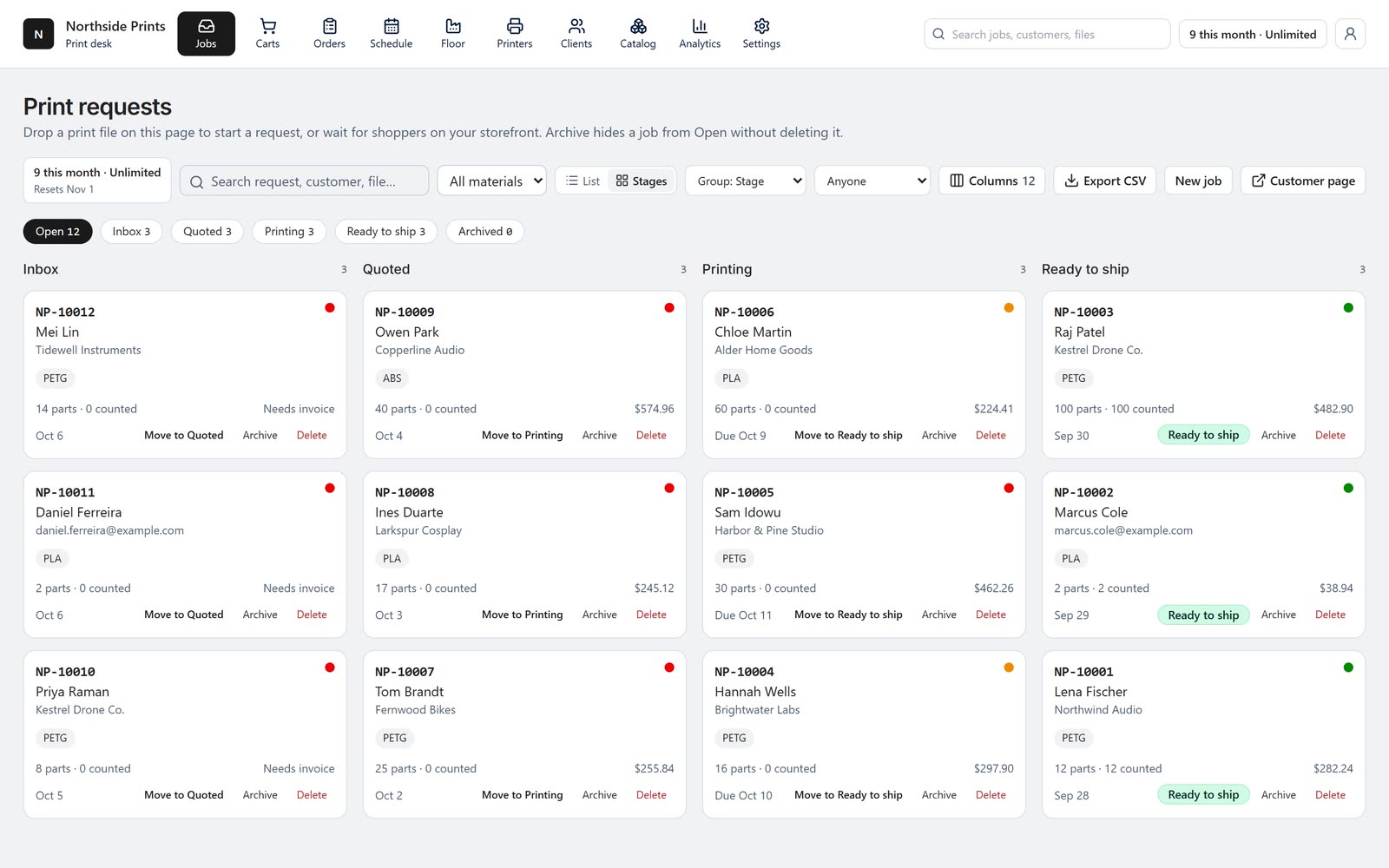
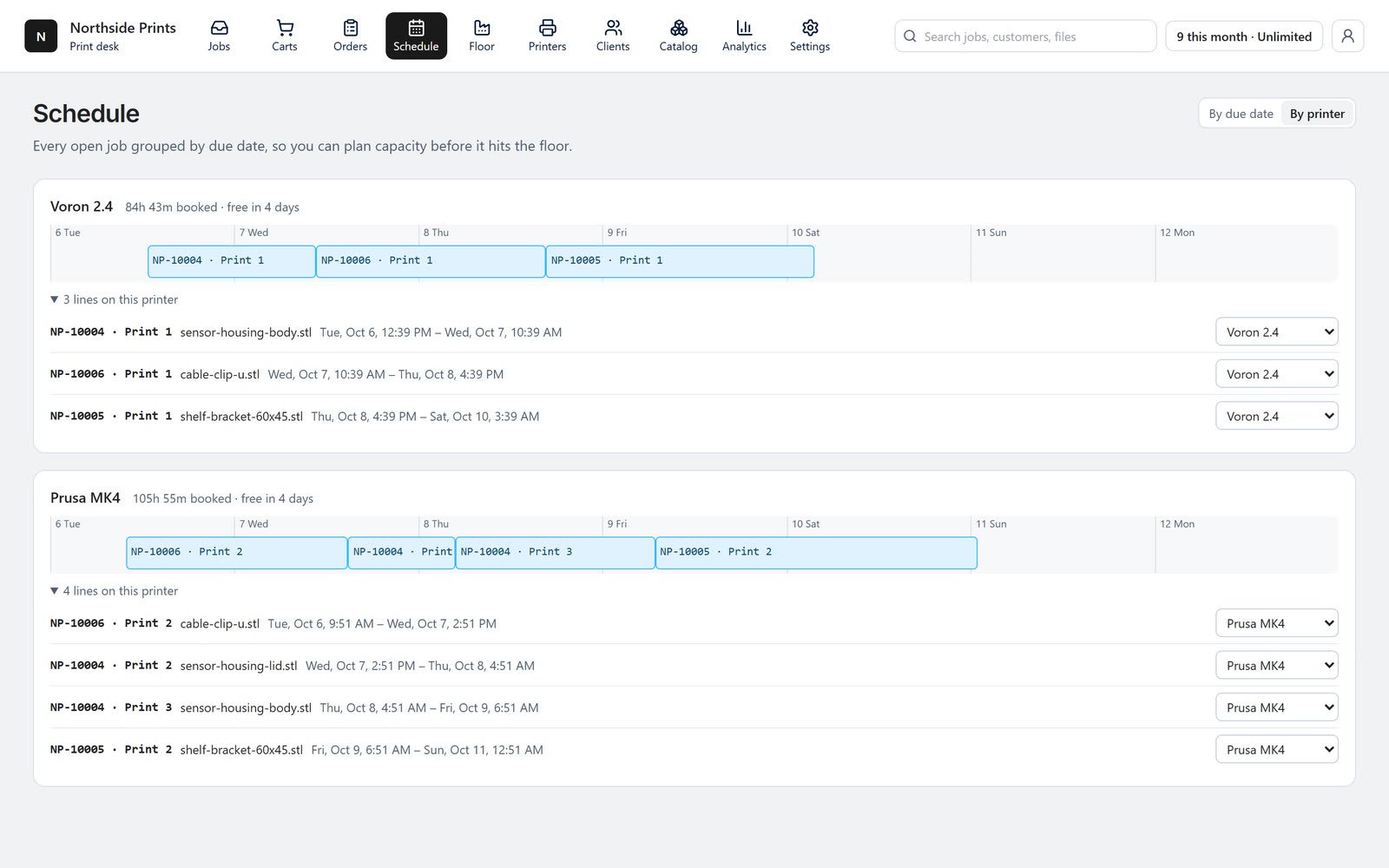
• Customer sees a price. AutoQuote3D: instantly, from an uploaded model. 3D Job Desk: only if you turn on Instant quote, marked as an estimate. • Who approves the price. AutoQuote3D: the business sets rules and the buyer checks out. 3D Job Desk: you review and send every quote. • Customer pays online. AutoQuote3D: yes, at checkout through Stripe. 3D Job Desk: customers pay you directly; with Shopify connected, you can send a Shopify invoice. • Printer connection. AutoQuote3D: none. 3D Job Desk: the Bridge reads Klipper (Moonraker) status, plus OctoPrint and Bambu Lab in beta. • Schedule across printers. AutoQuote3D: not described on the pages we read. 3D Job Desk: a Schedule page with one lane per printer. • API for developers or AI agents. AutoQuote3D: a public REST API and an MCP server. 3D Job Desk: none described in the app. • Users on a mid-priced plan. AutoQuote3D: 2 users on Professional ($50). 3D Job Desk: 15 users on Team ($50). • Trial. AutoQuote3D: 14 days, card at checkout. 3D Job Desk: 15 days; cancel before it ends and you are not charged. The plans count different things. AutoQuote3D Starter counts buyer quotes. 3D Job Desk Starter counts jobs. Do not compare the two numbers directly. 3D Job Desk plans: Limited $0 (1 user, 5 jobs a month), Starter $15 (1 user, 50 jobs), Team $50 (15 users, 200 jobs), Business $150 (unlimited users and jobs). Quotes are in US dollars.
• You want buyers to get a price and pay at checkout with no staff step in between. • You want to automate quoting as far as possible, or connect your own tools through its API. • You want to manage orders through an AI assistant using its MCP server. • You run more than one business and want them under one plan.
• You want to look at every file before a customer sees a final price. • You also run the floor: job board, schedule and printer status in the same place. • Several people work the jobs. Team allows 15 users. • Your customers come through a Shopify store or a WordPress site, and you want the upload form there. • You want customers to follow a job on a private link, with your stage names.
Yes. You review the files, adjust the price and send every quote. Instant quote is optional, and when it is on the customer sees an estimate you confirm.
AutoQuote3D collects payment at checkout and says Stripe is required for that. 3D Job Desk does not send a card checkout from a job: customers approve by replying to the quote email and pay you directly. With the 3D Job Desk Shopify app connected you can send a Shopify invoice instead.
AutoQuote3D lists STL, OBJ, STEP and 3MF up to 150 MB. 3D Job Desk accepts STL, OBJ, 3MF, STEP, STP, IGES, IGS and SolidWorks part files up to 100 MB; SolidWorks files are accepted but not priced automatically.
AutoQuote3D lists USD, CAD, EUR and GBP. 3D Job Desk quotes are in US dollars only.
AutoQuote3D: before you choose a plan, your buyers can create up to 15 quotes a calendar month without you entering payment details; paid plans start with a 14-day trial, card required at checkout, cancel in billing settings before it ends. 3D Job Desk: 15 days, and if you cancel before it ends you are not charged.
Yes, through the Bridge. Klipper (Moonraker) is supported; OctoPrint and Bambu Lab are in beta. AutoQuote3D's order management page says it does not connect to your printers.
Set your rates, turn on Instant quote on a test desk and upload a file. You will see what a customer would see.
15 days free. Cancel before the trial ends and you won't be charged.
Related: