
What is 3D print shop management software?
Software that runs the job flow of a print shop: taking customer files, quoting, tracking jobs and printers, and invoicing. 3D Job Desk does this for shops that take customer files.
3D Job Desk is web software for 3D print shops that take files from customers: it collects the files, prices the quote, tracks each job and printer, and prepares invoices in one place.
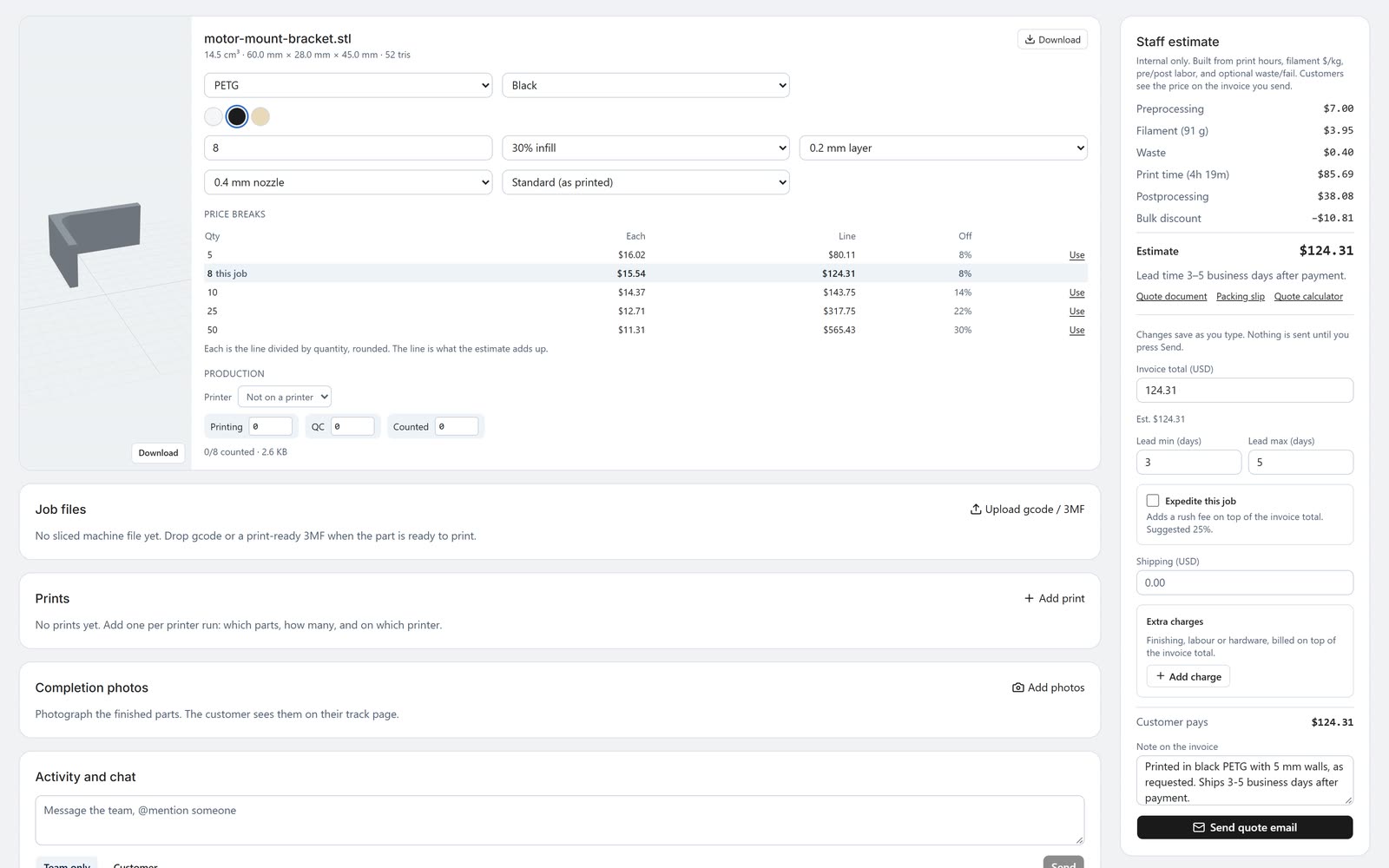
Most shops lose time before the first print: files arrive by email, someone measures them by hand and the price goes out a day later. Here the job starts when a customer uploads. You share an upload link or put the form on your own site. Customers send STL, OBJ, 3MF, STEP or IGES files, up to 100 MB each, and see a 3D preview of every model. Each upload becomes a job in your Inbox, and you get an email.
The desk measures each file and prices it from your own rates. Turn on Instant quote to show customers an estimate when a file is measured. Leave it off and they see no price until you send one. Either way you review every quote and can type your own price. Sending locks the terms. Quotes are in US dollars.
The customer approves by replying to the quote email. There is no online accept button.
SolidWorks .sldprt files are accepted but not priced automatically. STEP and IGES files are measured.
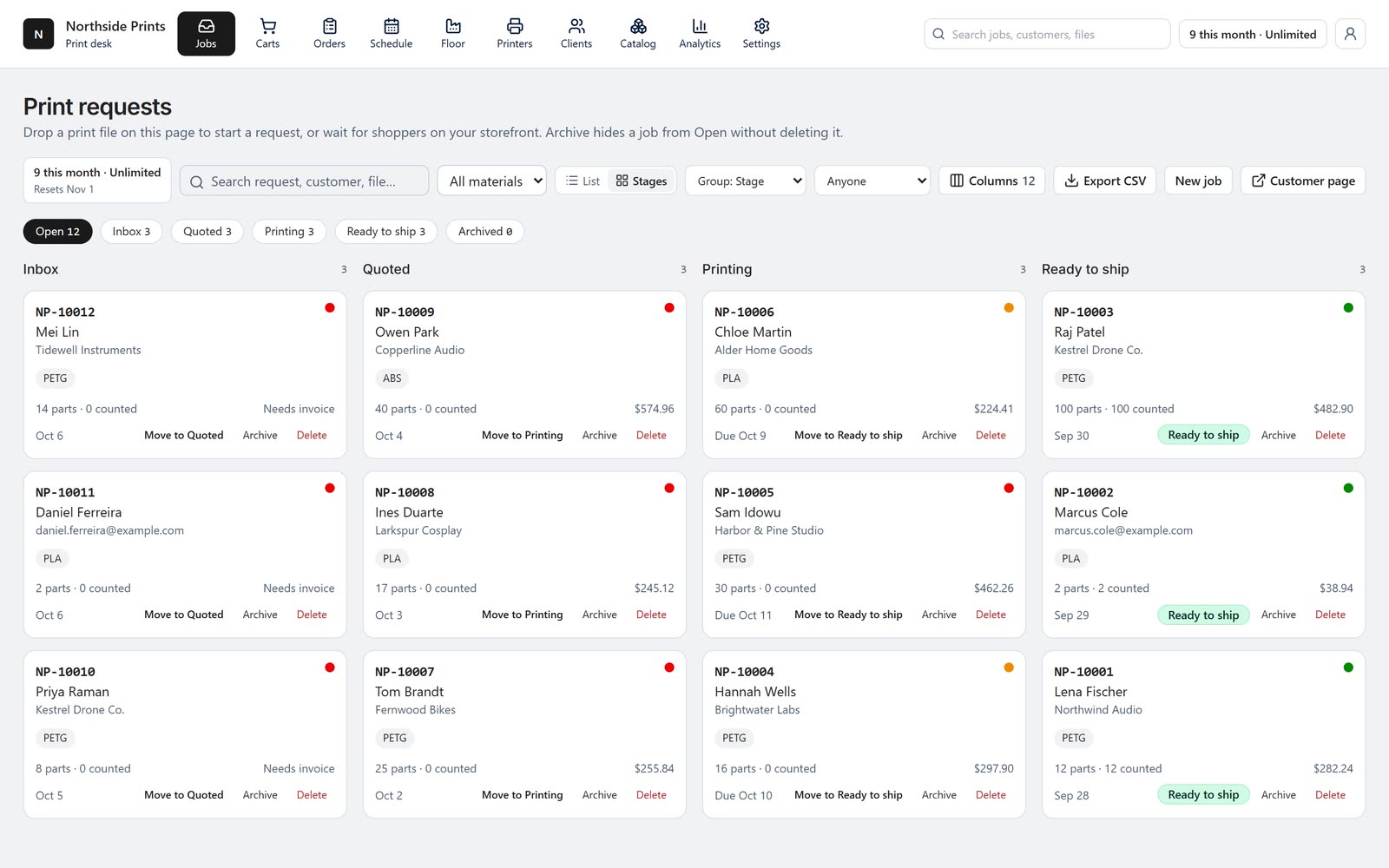
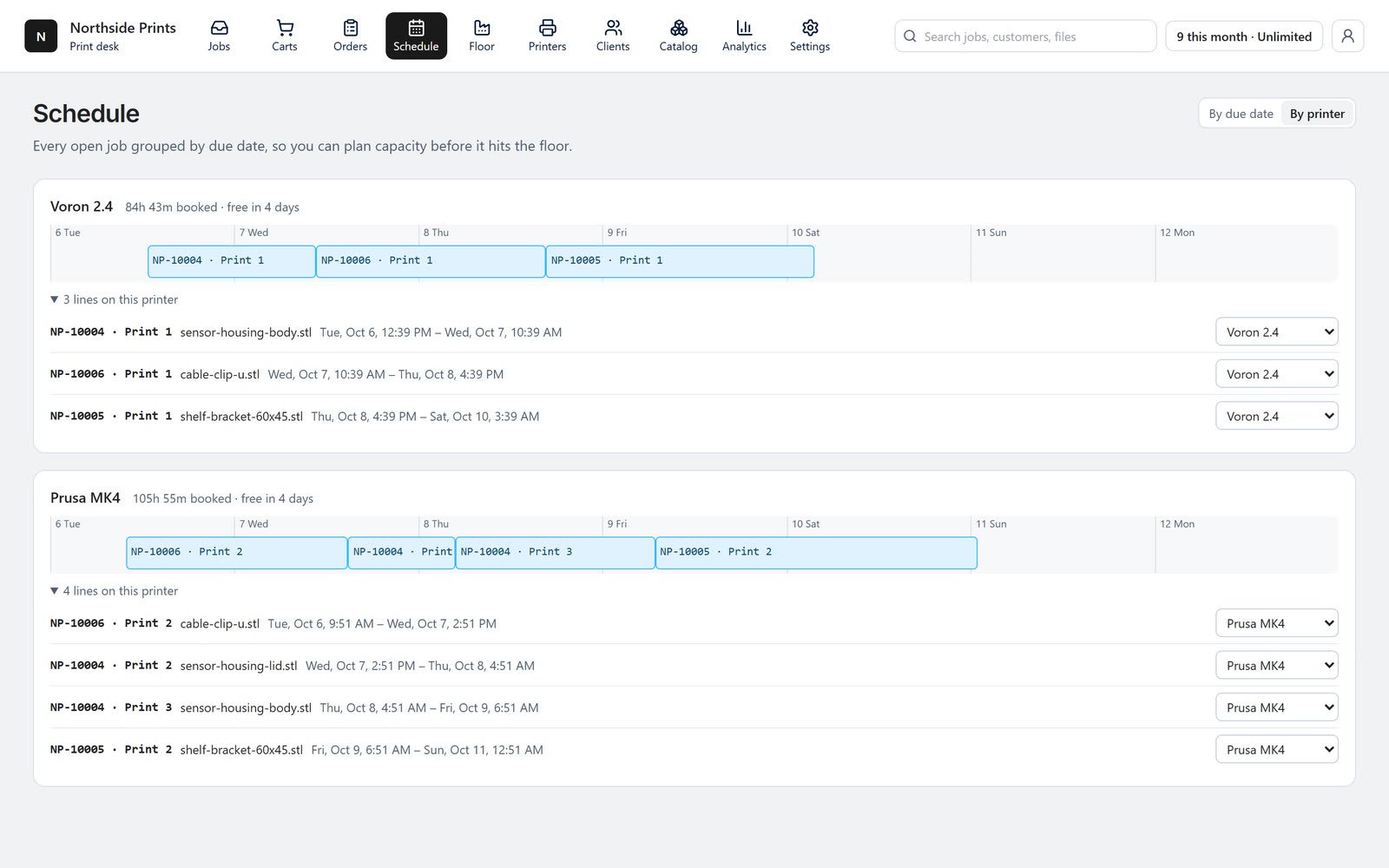
Every job sits on a board with stages you can rename. The defaults are Inbox, Quote sent, On the floor, Ready and Archived. Each stage can show the customer a different label. The Schedule page lines jobs up by due date and by printer.
A small bridge app on your network reports printer status to the desk. It makes outbound connections only and opens no port. Klipper (Moonraker) printers are supported. OctoPrint and Bambu Lab support is in beta. The bridge shows status, progress and temperatures. It cannot start or stop a print. Installers for Windows, macOS and Linux are not code-signed, so your system may show a warning.
The quote, the email and the PDF use one total, with rush fee, shipping, extras and sales tax. For accounting you can export paid or completed jobs as a file shaped for QuickBooks, Xero, Zoho or Odoo, or a generic file. It is a file import, not a live sync. Customers pay you directly and 3D Job Desk takes no cut. There is no card checkout sent from a job today.
Each job has a private tracking link with its stage, photos and quote PDF. Customers can also sign in with an email code to message the shop and order again.
Track stock per material in grams, if you want to. The desk subtracts each job's quoted grams once, when the job is marked paid or completed, and flags low stock on the Catalog page.
Plans run from a free Limited plan (1 user, 5 jobs a month) to Starter at $15 a month (1 user, 50 jobs), Team at $50 a month (15 users, 200 jobs) and Business at $150 a month (unlimited users and jobs). Every paid plan starts with 15 free days.
If you only print your own parts and no customer sends you files, most of this goes unused. Filament stock is tracked per material in grams, not per spool. The desk is built around customer files, quotes and jobs.
Software that runs the job flow of a print shop: taking customer files, quoting, tracking jobs and printers, and invoicing. 3D Job Desk does this for shops that take customer files.
No. They upload through your link or embedded form and follow the job with a private link. A sign-in with an email code is available for repeat customers.
They reply to the quote email. There is no online accept button.
Klipper (Moonraker) printers, plus OctoPrint and Bambu Lab in beta, through a small bridge app on your network. It shows status only and cannot control a printer.
No. Customers pay you directly. There is no card checkout sent from a job.
Yes. Paid plans start with 15 free days. Cancel before it ends and you won't be charged.
15 days free. Cancel before the trial ends and you won't be charged.
Related: